Install inDepth Apnea
The phone app is free on the App Store and Google Play, and it works on its own: no watch, no account needed. Got a Garmin? The desktop installer adds three free watch apps too.
Want to hear about important updates? Leave your email and we’ll let you know when there’s a watch app release worth installing, or a fix that matters. You don’t need to sign up to download anything. It just means we can reach you.
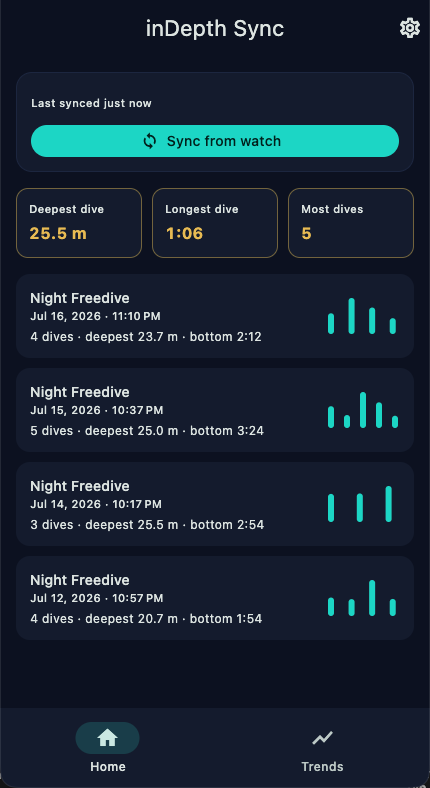
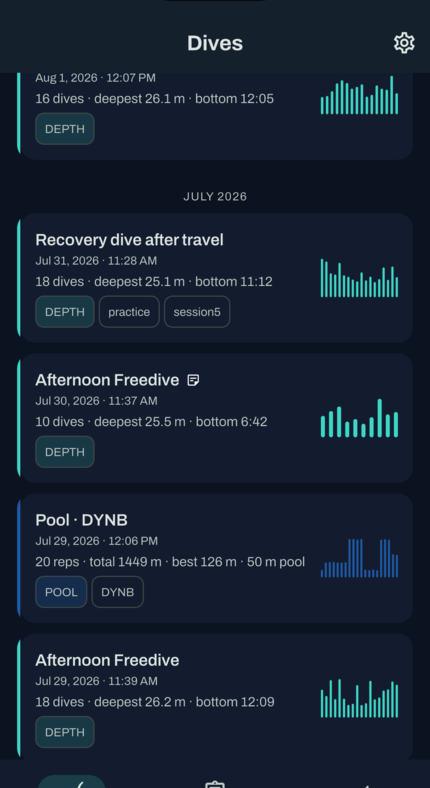
Phone app: inDepth Apnea Sync
Free on both stores. Run your breath-hold training right on your phone: guided sessions, a coached plan and an exercise library scaled to your PB. Got a Garmin? It also pulls your dives, pool sessions and dry sessions off the watch over Bluetooth into the same logbook. Tap the link for your phone.
Both links open the store page, whether you’re on a phone or a computer. Or just search for “inDepth Apnea Sync” in the App Store or on Google Play.
Watch app: desktop installer
The installer copies inDepth Blue, inDepth Pool and inDepth Dry onto your Garmin over USB. Install all three at once or just the one you want, then follow the steps on screen.
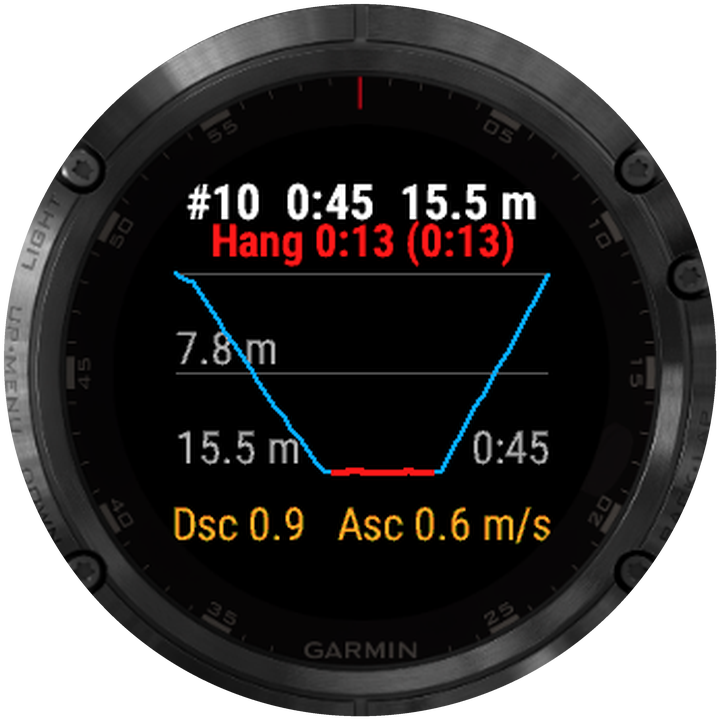
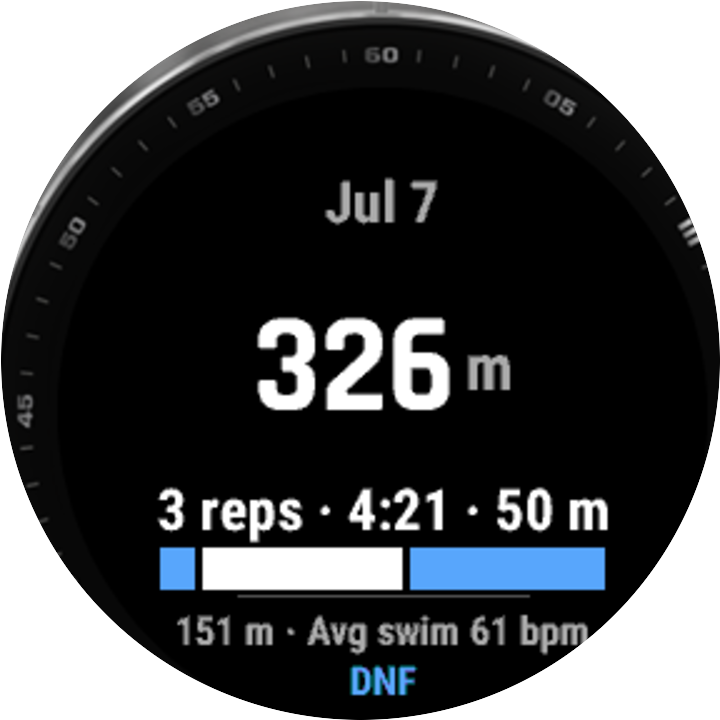
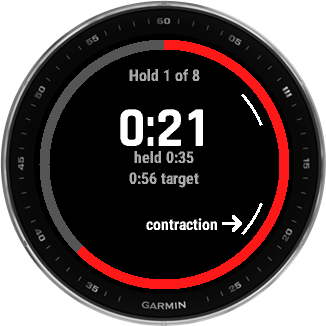
New to the apps? The user guides walk you through what to set up before your first session and what each button does, for inDepth Blue, inDepth Pool, inDepth Dry and the phone app.
Manual install (advanced / troubleshooting)
If the installer can’t find your watch, or you’d rather copy the file over yourself, download the bundle for the app you want, unzip it, and put the file for your model in your watch’s GARMIN/Apps folder.
| Watch | inDepth Blue file | inDepth Pool file | inDepth Dry file | Connects as |
|---|---|---|---|---|
| fenix 5 | inDepth-blue-fenix5.prg | Not supported | Not supported | USB drive |
| fenix 5S | inDepth-blue-fenix5s.prg | Not supported | Not supported | USB drive |
| fenix 5X | inDepth-blue-fenix5x.prg | Not supported | Not supported | USB drive |
| fenix 5 Plus | inDepth-blue-fenix5plus.prg | inDepth-pool-fenix5plus.prg | inDepth-dry-fenix5plus.prg | MTP |
| fenix 5S Plus | inDepth-blue-fenix5splus.prg | inDepth-pool-fenix5splus.prg | inDepth-dry-fenix5splus.prg | MTP |
| fenix 5X Plus | inDepth-blue-fenix5xplus.prg | inDepth-pool-fenix5xplus.prg | inDepth-dry-fenix5xplus.prg | MTP |
| fenix 7 | inDepth-blue-fenix7.prg | inDepth-pool-fenix7.prg | inDepth-dry-fenix7.prg | MTP |
| fenix 7S | inDepth-blue-fenix7s.prg | inDepth-pool-fenix7s.prg | inDepth-dry-fenix7s.prg | MTP |
| fenix 7X | inDepth-blue-fenix7x.prg | inDepth-pool-fenix7x.prg | inDepth-dry-fenix7x.prg | MTP |
| fenix 8 43mm | inDepth-blue-fenix843mm.prg | inDepth-pool-fenix843mm.prg | inDepth-dry-fenix843mm.prg | MTP |
| fenix 8 47mm | inDepth-blue-fenix847mm.prg | inDepth-pool-fenix847mm.prg | inDepth-dry-fenix847mm.prg | MTP |
| fenix 8 Pro 47mm | inDepth-blue-fenix8pro47mm.prg | inDepth-pool-fenix8pro47mm.prg | inDepth-dry-fenix8pro47mm.prg | MTP |
| fenix 8 Solar 47mm | inDepth-blue-fenix8solar47mm.prg | inDepth-pool-fenix8solar47mm.prg | inDepth-dry-fenix8solar47mm.prg | MTP |
| fenix 8 Solar 51mm | inDepth-blue-fenix8solar51mm.prg | inDepth-pool-fenix8solar51mm.prg | inDepth-dry-fenix8solar51mm.prg | MTP |
| Descent Mk2 / Mk2i | inDepth-blue-descentmk2.prg | inDepth-pool-descentmk2.prg | inDepth-dry-descentmk2.prg | MTP |
| Descent Mk2 S | inDepth-blue-descentmk2s.prg | inDepth-pool-descentmk2s.prg | inDepth-dry-descentmk2s.prg | MTP |
| Descent Mk3 43mm | inDepth-blue-descentmk343mm.prg | inDepth-pool-descentmk343mm.prg | inDepth-dry-descentmk343mm.prg | MTP |
| Descent Mk3i 51mm | inDepth-blue-descentmk351mm.prg | inDepth-pool-descentmk351mm.prg | inDepth-dry-descentmk351mm.prg | MTP |
| Descent G2 | inDepth-blue-descentg2.prg | inDepth-pool-descentg2.prg | inDepth-dry-descentg2.prg | MTP |
| Forerunner 255 | Not supported | Not supported | inDepth-dry-fr255.prg | MTP |
| Forerunner 255 Music | Not supported | Not supported | inDepth-dry-fr255m.prg | MTP |
| Forerunner 255S | Not supported | Not supported | inDepth-dry-fr255s.prg | MTP |
| Forerunner 255S Music | Not supported | Not supported | inDepth-dry-fr255sm.prg | MTP |
| Forerunner 955 / Solar | Not supported | Not supported | inDepth-dry-fr955.prg | MTP |
| Forerunner 265 | Not supported | Not supported | inDepth-dry-fr265.prg | MTP |
| Forerunner 570 42mm | Not supported | Not supported | inDepth-dry-fr57042mm.prg | MTP |
| Forerunner 570 47mm | Not supported | Not supported | inDepth-dry-fr57047mm.prg | MTP |
| epix (Gen 2) | Not supported | Not supported | inDepth-dry-epix2.prg | MTP |
| epix Pro (Gen 2) 42mm | Not supported | Not supported | inDepth-dry-epix2pro42mm.prg | MTP |
| epix Pro (Gen 2) 47mm | Not supported | Not supported | inDepth-dry-epix2pro47mm.prg | MTP |
| epix Pro (Gen 2) 51mm | Not supported | Not supported | inDepth-dry-epix2pro51mm.prg | MTP |
| fenix 9 43mm | Not supported | Not supported | inDepth-dry-fenix943mm.prg | MTP |
| fenix 9 47mm / 51mm | Not supported | Not supported | inDepth-dry-fenix947mm.prg | MTP |
| fenix 9 Pro 43mm | Not supported | Not supported | inDepth-dry-fenix9pro43mm.prg | MTP |
| fenix 9 Pro 47mm | Not supported | Not supported | inDepth-dry-fenix9pro47mm.prg | MTP |
| fenix 9 Pro 51mm | Not supported | Not supported | inDepth-dry-fenix9pro51mm.prg | MTP |
| fenix 9 Pro Solar 47mm | Not supported | Not supported | inDepth-dry-fenix9prosolar47mm.prg | MTP |
| fenix 9 Pro Solar 51mm | Not supported | Not supported | inDepth-dry-fenix9prosolar51mm.prg | MTP |
Mass Storage devices (Fenix 5, 5S, 5X)
- Unzip the download.
- Plug in the watch with its charging cable. It shows up like a USB drive on macOS or Windows.
- Open the
GARMIN/Appsfolder on the watch drive and copy in the file for your model from the table above. (These three watches only run inDepth Blue. There’s no inDepth Pool or inDepth Dry build for them.) - Eject the watch, then disconnect it.
MTP devices (5 Plus family, Fenix 7, Descent, and the Fenix 8, expected)
Windows: plug in the watch. If Windows doesn’t pick it up, set Settings → System → USB Mode → MTP on the watch. Then open it in File Explorer, go into GARMIN/Apps, and copy in the matching file from the table above.
macOS: Finder can’t open these watches over USB, so you can’t just drag and drop on a Mac. Use the desktop installer above, which takes care of it for you. If you’d rather do it by hand, OpenMTP (https://openmtp.ganeshrvel.com/) can open the watch and copy the file in.
Having trouble? See the help & FAQ, or the user guides for how the apps work once they’re installed.
Questions or trouble installing? Email support@in-depth.app.