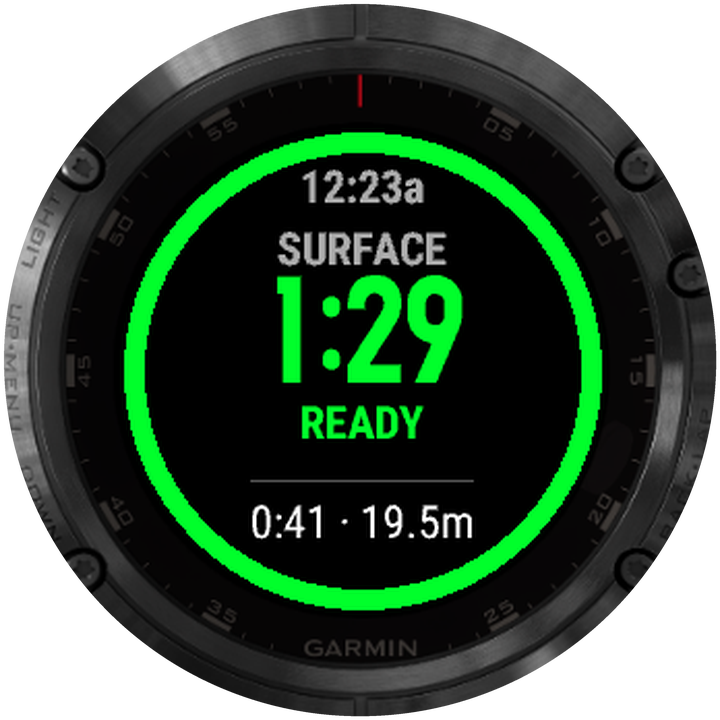
READY alerts
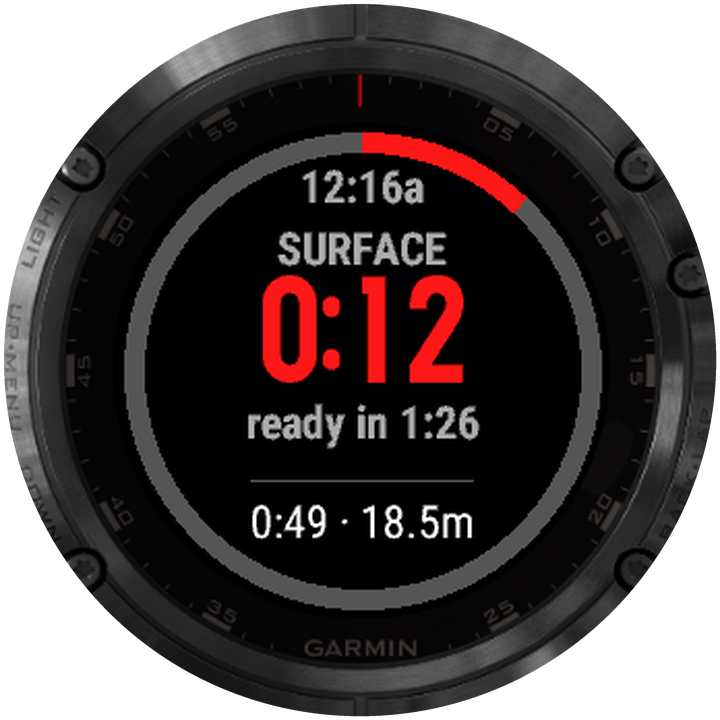
A red ring fills up as you recover, then turns green and buzzes when your estimated minimum rest ends. No mental math, just a glance at your wrist.
Freediving & spearfishing
inDepth Apnea Blue is a freediving app for the Garmin you already own. You get live depth, heart rate, hang detection and a dive log on your wrist, where your watch supports depth readings. Five surface-rest models estimate a minimum rest and buzz when the timer ends. They can’t tell you that another dive is safe.
Nothing else does this
We looked hard. The Descent Mk3 is a fine dive computer, but it doesn’t run the recovery models freedivers train with, show you a profile mid-session, or find your hang. inDepth Blue does all three.
2× / 3× dive time, Adaptive (AIDA), Taravana nitrogen-load and the Molchanovs system. These are the recovery rules freedivers already train with, worked out live on your wrist.
We haven’t found another watch that runs these.
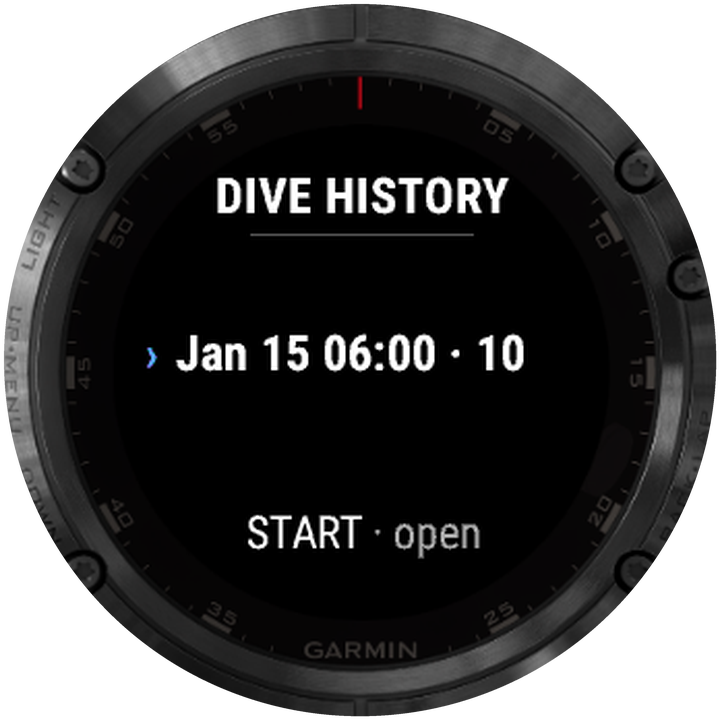
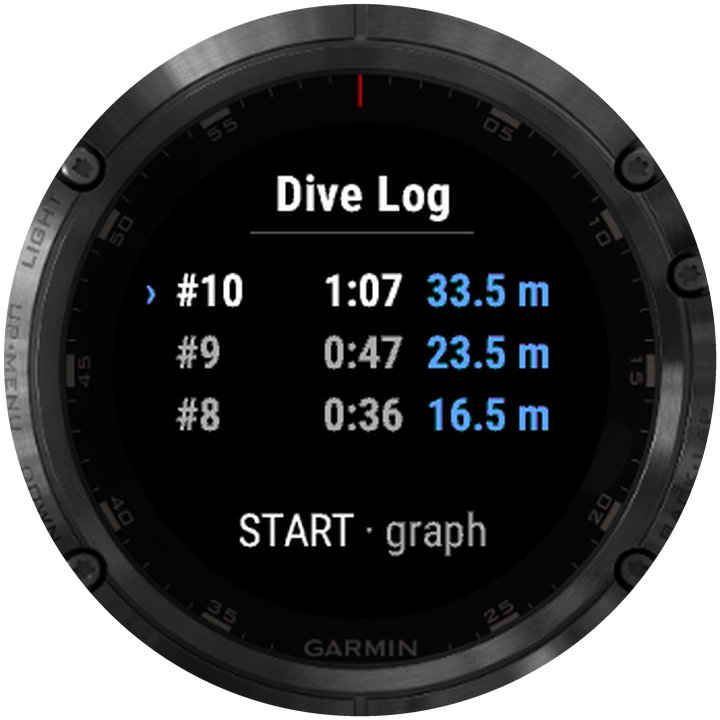
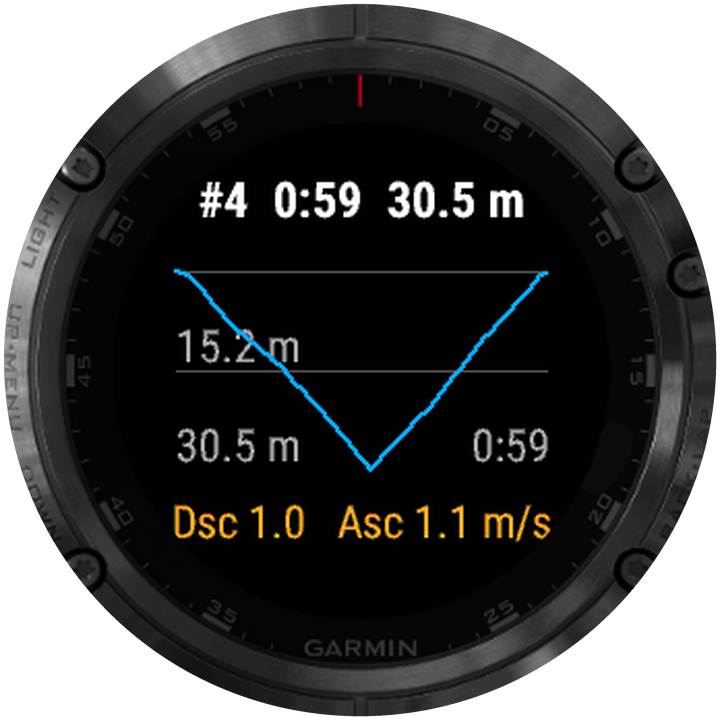
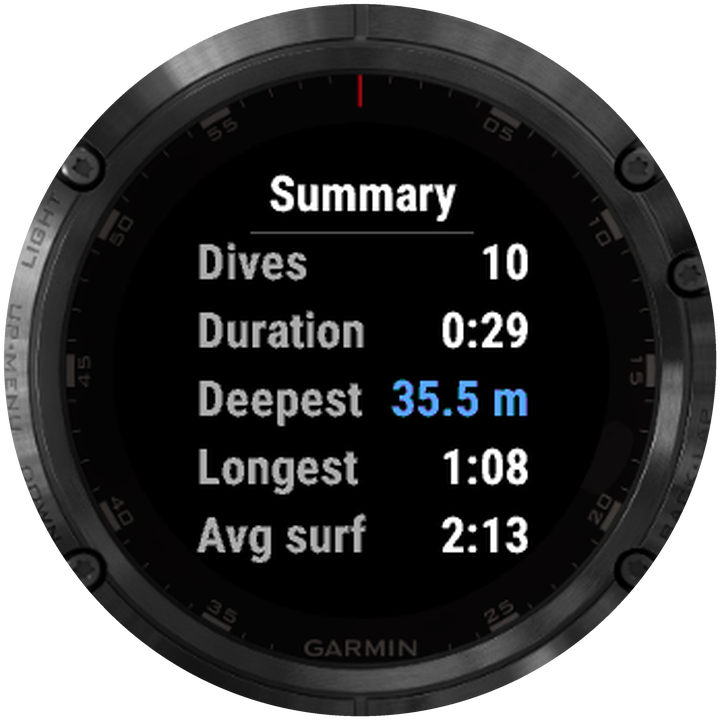
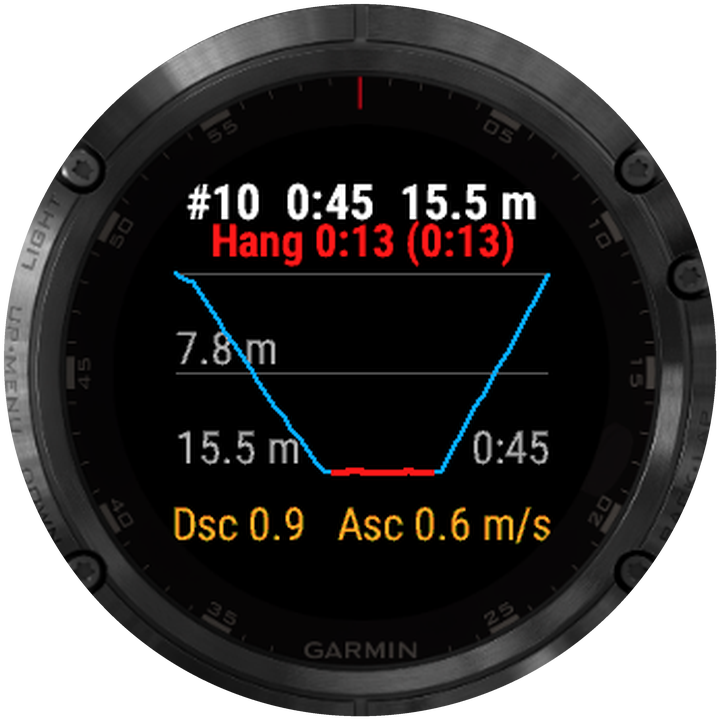
02Between dives, pull up the depth graph, ascent and descent rates and stats for any dive so far. No need to end the session or reach for your phone.
We haven’t found another freediving watch that does this.
03The watch finds your bottom hang by itself, tells you the total and longest hold, and marks it in red on the profile.
We haven’t seen this on any other freediving watch.
Priority Safety & recovery
Short surface intervals can add to the risks of repeated dives. inDepth Blue runs surface-rest models (AIDA, Taravana, Molchanovs, 2× / 3× dive time) on your watch and buzzes when the estimated minimum interval ends. A timer can’t assess your recovery or guarantee that another dive is safe. Follow your training and buddy procedures, and rest longer when needed.
A red ring fills up as you recover, then turns green and buzzes when your estimated minimum rest ends. No mental math, just a glance at your wrist.
2× / 3× dive time, Adaptive (AIDA), Taravana nitrogen-load and the Molchanovs system. Choose how conservative you want to be today.
If you cut a rest short, the phone marks that dive in red. Later you can look back at exactly where you pushed it.
A training aid, not a life-support device. inDepth Blue never blocks a dive. It tells you what it knows and leaves the call to you. Never dive alone. One up, one down.
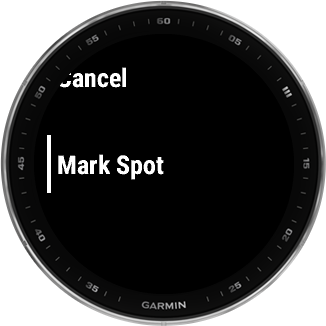
New Spots & navigation
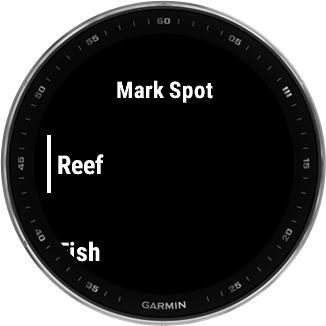
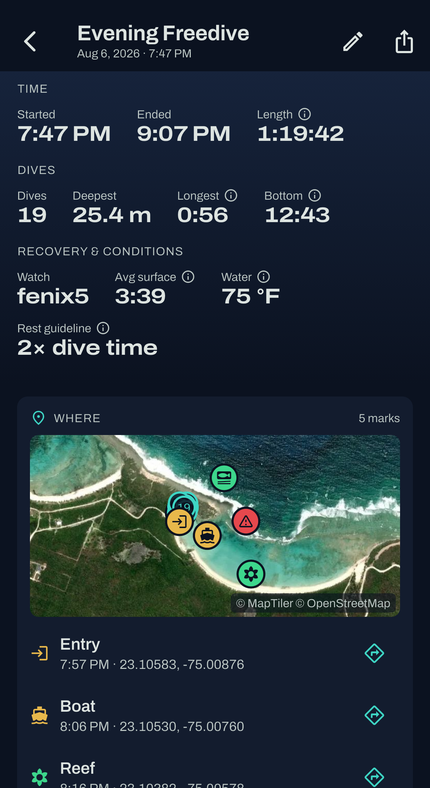
You come up next to something worth remembering: a reef, a wreck, a hazard, the spot where the fish were. One press marks where you’re floating and gives it a label. The mark goes onto a satellite map in the phone app and into your watch’s saved locations. Next season you can come back by boat, or swim straight to it with just the watch.
This is off by default. Turn it on in Settings → GPS → Store Location and Mark Spots. The watch then runs GPS for the whole session, which uses more battery. GPS can’t see through water, so positions are only taken at the surface: float over the spot when you mark it, don’t do it on the way up. Not available on Fēnix 5 / 5S.
Priority A dive computer on your wrist
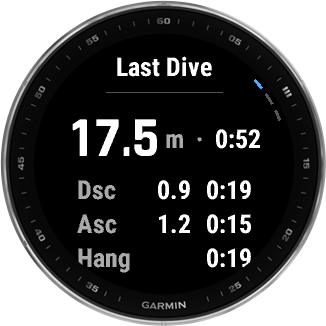
In the water, your watch becomes a proper freediving computer. When you surface, Last Dive Summary can open by itself with max depth, time, rates and hang, then disappear after 30, 60, 90 or 120 seconds. Summary, Surface and Log are one button apart, and you can open any dive’s depth graph, rates and stats during the session, without ending it or reaching for your phone.
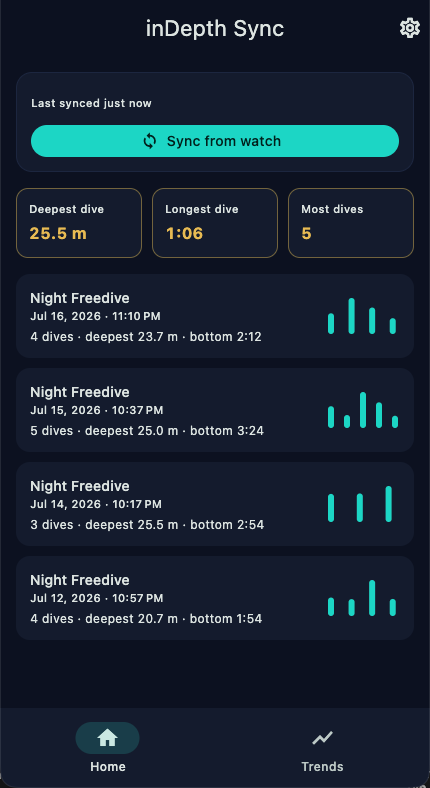
On your phone Deep analysis
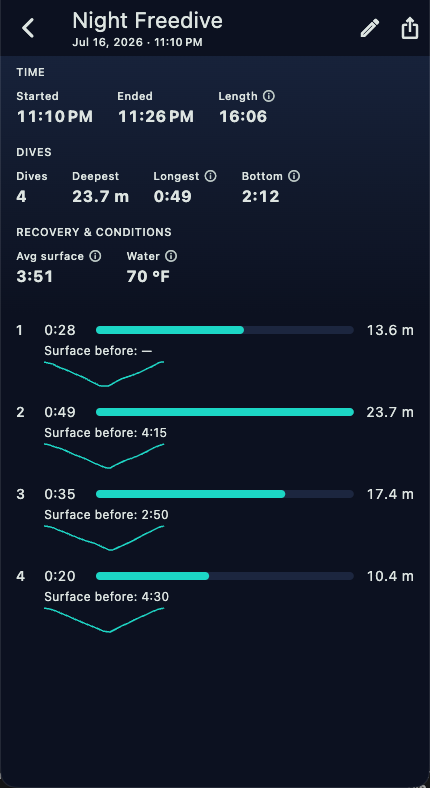
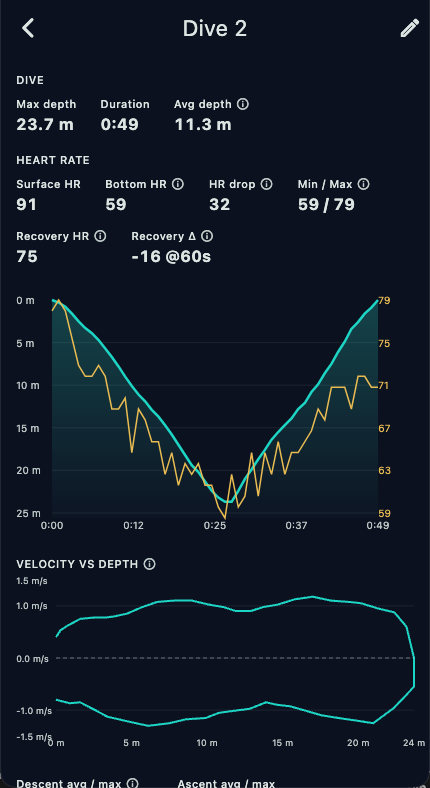
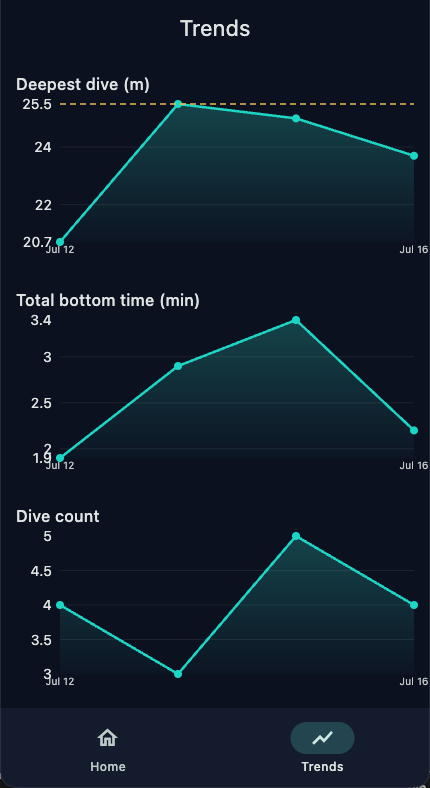
inDepth Apnea pulls your sessions off the watch over Bluetooth (it copes fine with a flaky connection) and breaks each dive down for you: depth graphs, velocity plots, heart-rate recovery and trends over time. That’s a lot more than a 1-inch screen can show.
Built by a freediver, for freedivers
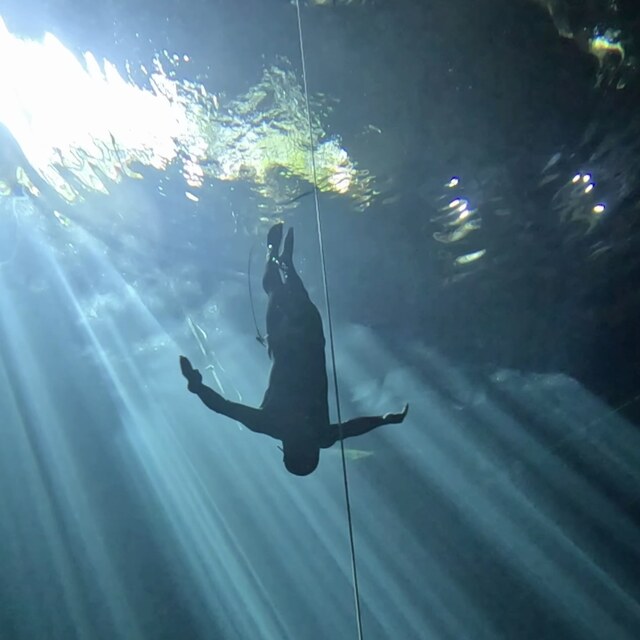
I built inDepth Blue because my Fenix and Descent kept letting me down. I wanted help keeping track of surface rests. I wanted better alarms, hang detection and a proper history on the watch. Pretty much every feature in the app started as something my own watch couldn't do.
That hasn't changed. I test every release on my own dives, and the device table gets updated whenever divers tell me how their watch behaves in the water.
Mariusz, founder & freediver
Supported hardware
You don't need new gear. inDepth Pool and inDepth Dry each run on 35 Garmin watches, including the Forerunner 255, 265, 570 and 955, the epix (Gen 2) and the Fēnix 9. inDepth Blue, the freediving app, runs on the Fēnix 5, 5 Plus, 7 and 8 families plus the Descent Mk2, Mk3 and G2, with more coming. How deep Blue can read depends on the watch. The Fēnix 5, 5 Plus and 8 families read true depth (uncapped, and checked in the water to 30 m). On the Fēnix 7 and the Descent Mk2 and Mk3, Garmin's firmware limits what third-party apps can read. Nobody has tested a Descent G2 yet, so we don't quote a figure for it and the app plays it safe. Each row below tells you which group a watch is in.
| Watch | inDepth Blue | inDepth Pool | inDepth Dry |
|---|---|---|---|
| Fēnix 5 | ✓True depth | — | — |
| Fēnix 5S | ✓True depth | — | — |
| Fēnix 5X | ✓True depth | — | — |
| Fēnix 5 Plus | ✓True depth | ✓ | ✓ |
| Fēnix 5S Plus | ✓True depth | ✓ | ✓ |
| Fēnix 5X Plus | ✓True depth | ✓ | ✓ |
| Fēnix 7 | ✓Depth to ~3m | ✓ | ✓ |
| Fēnix 7S | ✓Depth to ~3m | ✓ | ✓ |
| Fēnix 7X | ✓Depth to ~3m | ✓ | ✓ |
| Fēnix 8 43mm | ✓True depth | ✓ | ✓ |
| Fēnix 8 47mm | ✓True depth | ✓ | ✓ |
| Fēnix 8 Pro 47mm | ✓True depth | ✓ | ✓ |
| Fēnix 8 Solar 47mm | ✓True depth | ✓ | ✓ |
| Fēnix 8 Solar 51mm | ✓True depth | ✓ | ✓ |
| Descent Mk2 / Mk2i | ✓Depth to ~3m | ✓ | ✓ |
| Descent Mk2 S | ✓Depth to ~3m | ✓ | ✓ |
| Descent Mk3 43mm | ✓Depth to ~3m | ✓ | ✓ |
| Descent Mk3i 51mm | ✓Depth to ~3m | ✓ | ✓ |
| Descent G2 | ✓Depth unverified | ✓ | ✓ |
| Forerunner 255 | — | ✓ | ✓ |
| Forerunner 255 Music | — | ✓ | ✓ |
| Forerunner 255S | — | ✓ | ✓ |
| Forerunner 255S Music | — | ✓ | ✓ |
| Forerunner 955 / Solar | — | ✓ | ✓ |
| Forerunner 265 | — | ✓ | ✓ |
| Forerunner 570 42mm | — | ✓ | ✓ |
| Forerunner 570 47mm | — | ✓ | ✓ |
| epix (Gen 2) | — | ✓ | ✓ |
| epix Pro (Gen 2) 42mm | — | ✓ | ✓ |
| epix Pro (Gen 2) 47mm | — | ✓ | ✓ |
| epix Pro (Gen 2) 51mm | — | ✓ | ✓ |
| Fēnix 9 43mm | — | ✓ | ✓ |
| Fēnix 9 47mm / 51mm | — | ✓ | ✓ |
| Fēnix 9 Pro 43mm | — | ✓ | ✓ |
| Fēnix 9 Pro 47mm | — | ✓ | ✓ |
| Fēnix 9 Pro 51mm | — | ✓ | ✓ |
| Fēnix 9 Pro Solar 47mm | — | ✓ | ✓ |
| Fēnix 9 Pro Solar 51mm | — | ✓ | ✓ |
True depth = uncapped depth reading on Fēnix 5, 5 Plus and 8 (field-verified to 30 m).Depth to ~3m = firmware-limited on Fēnix 7, Descent Mk2 and Mk3.Depth unverified = the Descent G2, which nobody has tested yet.
~40 m is the practical limit on a Fēnix, since the case is rated 10 ATM. On the seven ~3 m rows (the Fēnix 7 family, the Descent Mk2 and the Descent Mk3) inDepth Blue only offers the surface-rest models that don't need depth: 2× / 3× Dive Time and Manual, with 2× as the default. Adaptive (AIDA), Taravana and Molchanovs need a depth reading they can trust. Fed a ~3 m reading, all three came out at plain 2× anyway, so now the label says what the math was already doing. Your rests don't get any shorter. The evidence isn't the same for all seven rows: the Descent Mk3 is measured, the Fēnix 7 is inferred, and the Descent Mk2 is based on a diver's report that it stops at ~3 m, not on our own instruments. The Descent G2 is the eighth row without a true-depth badge, and it has no figure at all because nobody has tested one. It's a Descent, so we expect the same cap and the app treats it that way, which means the same three rest models are hidden there too. Molchanovs' 60 m / 24-hour rule isn't enforced on any watch, so keeping to that one is up to you. How we know each number. More Garmin watches are planned: tell us which one you use and we'll let you know if it's added.
How it works
Plug in your Garmin, click once, and the installer puts inDepth Blue on it. It takes a few seconds.
Just dive. The watch spots each dive on its own and runs live depth, the safety models, alarms and hang detection right on your wrist.
Back on land, open inDepth Apnea. It pulls your sessions over Bluetooth so you can dig into graphs and trends that won't fit on a watch.
Training lengths instead of meters down? inDepth Pool turns the same watch into a dynamic apnea trainer. It counts your turns and laps, shows heart-rate charts on your wrist, and brings your workouts with you.
Check Garmin compatibility and depth limits before you install, or see how Blue compares with Apnea CWT. Our surface intervals guide explains the rest models and their limits.
Free
inDepth Blue is free. The download page has the desktop installer for the watch app, plus the phone app.