inDepth Blue
A freediving computer for depth days: live depth, surface-rest safety models, alarms and hang detection, right on your wrist.
Dry breath-hold training · Free
No watch. No account. Just start. inDepth Apnea Sync runs your training right on your phone: CO2 and O2 tables, static holds and more, every one scaled from your own personal best. Voice and haptic cues call each phase, so you can keep your eyes closed the whole way through.
Coaching
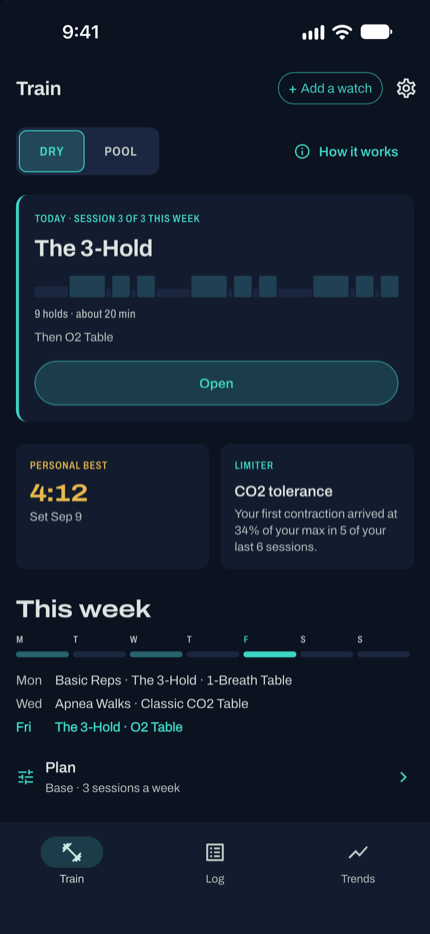
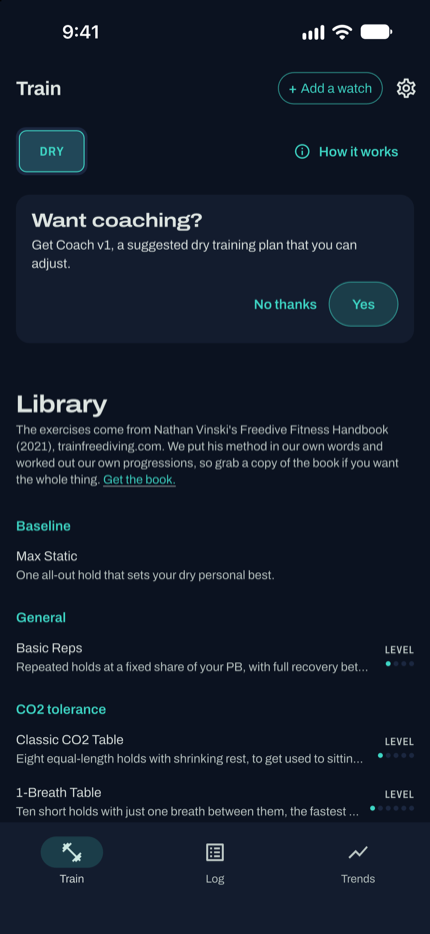
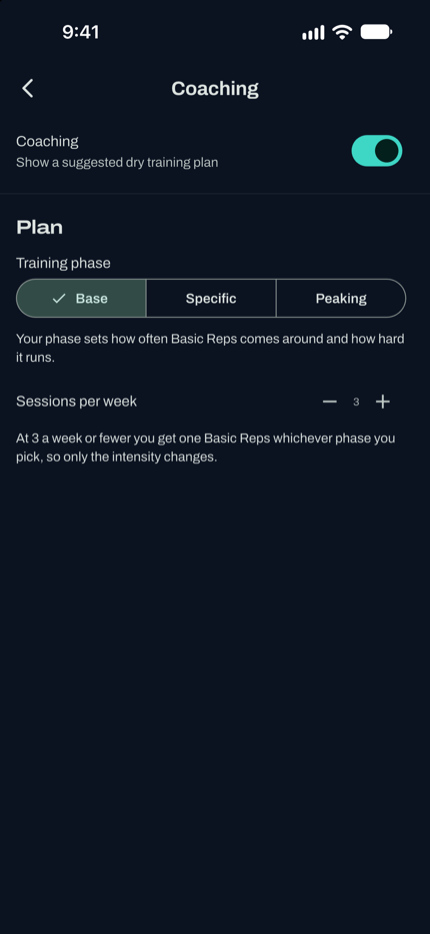
You don’t have to plan your own training. Turn coaching on and the app builds a suggested dry plan around your personal best, then keeps it up to date as you train. Prefer to pick your own sessions from the library instead? That works too, any time.
Guided sessions
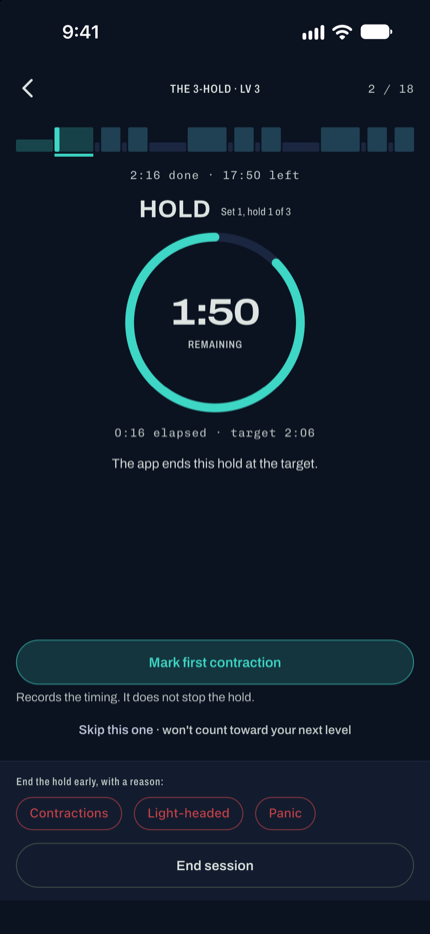
Every hold, breathe-up and rest runs on its own timer, with a ribbon across the top showing the whole session and a dial for the phase you’re on right now. Voice and haptic cues call out every change, so you never have to open your eyes to know what’s next.
The app speaks each phase change out loud and buzzes the phone at countdowns, hold start and end, and session end. Turn either off in Settings and the visual timer still runs.
One tap records when the urge to breathe arrives, without stopping the hold. Empty Statics is the one exception: for that exercise the tap ends the hold, and the button says so.
Not feeling a rep? Skip it, quietly, and it just won't count toward your next level. Feeling light-headed or panicky is different: tap it and the whole session ends there and can't become a personal best.
Exercise library
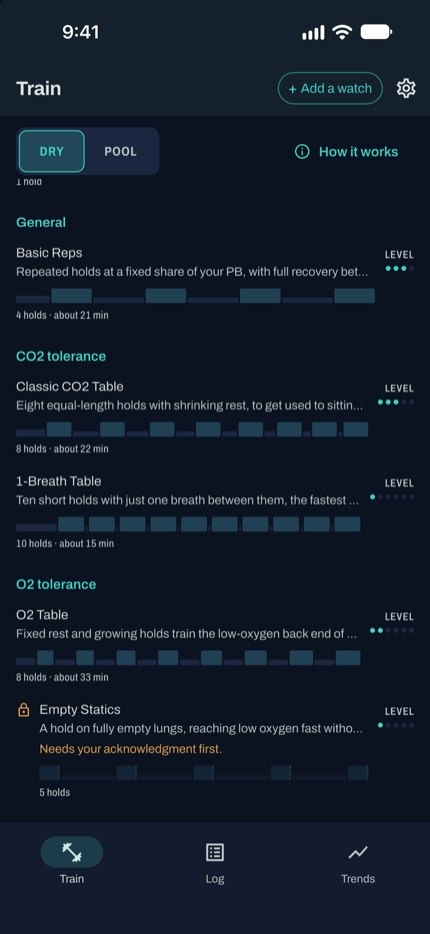
Thirteen exercises across eight training areas, each with its own written guidance: what it trains, how to do it, the one rule that matters and how you progress. Do one Max Static (or enter a number you already know) and every table after that scales from it, so the holds fit you and nobody else.
Max Static
Basic Reps, Custom
Classic CO2 Table, 1-Breath Table
O2 Table, Empty Statics
Contraction Time
The 3-Hold, The 3-Hold (Advanced), Apnea Walks
Lung Vacuums
Leaky Nose-Clip
Most of the library is adapted from Nathan Vinski’s Freedive Fitness Handbook (2021), trainfreediving.com, put into our own words with our own progressions. Max Static is a baseline, the O2 Table is a convention the handbook doesn’t itself endorse, and Custom is whatever you want it to be.
Your progress
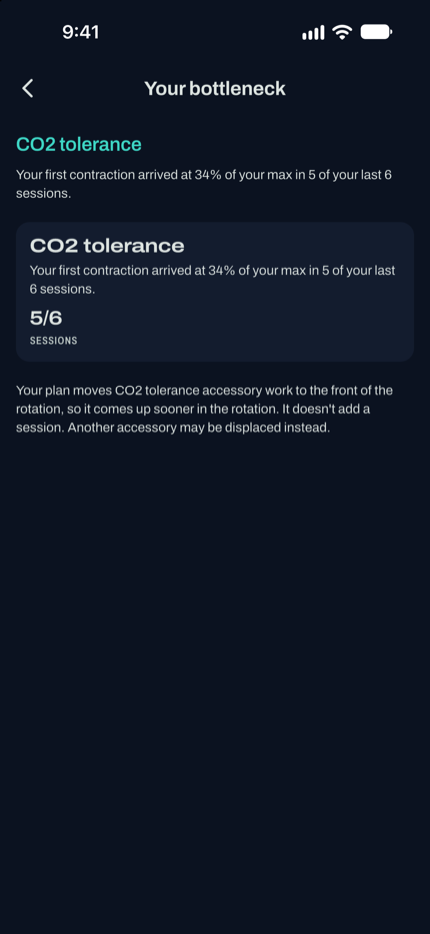
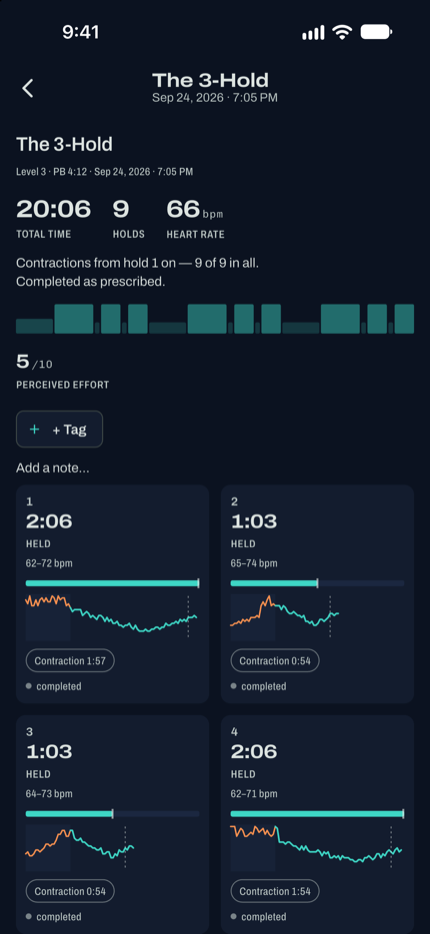
Your bottleneck, with the evidence behind it, and a session summary that lays every hold out against what the plan asked for.
Priority Safety
Never stand, and never train in or near water. Have someone nearby. Every exercise screen shows this line before you start, and it never folds away. Apnea Walks is the one exception: you walk on the same breath, so pick a flat, clear route away from water and have someone walk with you.
Empty Statics and Lung Vacuums hold at residual volume, after a full exhale, which brings on hypoxic signs faster and with less warning. The app won’t let you run either until you’ve acknowledged the risk once, and both call for direct supervision.
Tap either one and the session stops right there. It can’t advance a level and it can’t become a personal best, whatever that exercise’s own rule would otherwise award. The Contractions stop is different: it ends just that hold, and the session carries on.
A training aid, not a life-support device. Train sitting or lying down, never alone, and stop the moment something feels wrong.
Optional add-on
None of this needs a watch. If you already have a Garmin Fenix or Descent, three free apps put your training on your wrist too, and once you have a dry personal best, your coached week syncs straight to a paired Dry watch: today’s exercise by name, its level and what it’s about to ask of you.
A freediving computer for depth days: live depth, surface-rest safety models, alarms and hang detection, right on your wrist.
Dynamic apnea in the pool. It counts your laps and turns on its own and records splits and heart rate for every length.
The same CO2 and O2 tables on your wrist, buzzed out instead of spoken, for training with your eyes closed and the phone out of reach.
Want the full walkthrough? Read the training quick start, or head straight to the download page for both stores and the desktop installer.
Free
inDepth Apnea Sync is free on both stores. Download it, do one Max Static, and your first table is already scaled to you.